Accounting software

FrytiKont+: accounting software for businesses in Kosovo

Invoices, VAT, payroll, bank, invoice scanning and reports in a single program, built around Kosovo's laws by the audit firm Fryti Audit. Your data stays on your own computer. The program's interface is in Albanian.

Who it is for

Accounting offices that keep many businesses: everything in one program, with the business and the fiscal year switched at the top, and each client's filing deadlines on the dashboard.

Businesses that want their own books in order: invoices, payroll and VAT in one place, with checks that stop errors before they are filed.

Fryti Audit clients: the accountant and the owner work in the same books, without sending files back and forth.

FrytiKont+
Modules

What the program contains

The modules as they appear in the program's menu. Depending on the type of business (services, goods or production), stock, production, construction and POS are added.

Purchases

Purchase invoices, scans, customs declarations (DUD), returns, credit and debit notes.

Sales

Sales invoices with printable designs, quotes and delivery notes, returns and notes.

Invoice scanning

From a scanner or a phone. The program reads the date, number, supplier, amounts and VAT; it recognises parties from the ARBK business register.

Parties and advances

Suppliers and customers with ledgers, advances applied to invoices, loans.

Bank and cash

Bank statements imported as PDF, Excel, XML, MT940 or CSV; reconciliation with the ledger, incoming and outgoing payments, cash.

Payroll

Employees, contracts, the payroll list with 5+5 contributions and the tax bands, the net–gross calculator, leave.

Rent and fixed assets

Rent with the 9% withholding, fixed assets with depreciation, revaluation and disposal.

VAT and year-end closing

The VAT return box by box, sales and purchase books, adjustments and bad debt, year-end closing with its checks.

Reports

Balance sheet, income statement, cash flow, general ledger, ledgers, VAT books, management report; PDF and Excel.

Excel imports

Parties, items and opening balances from ready-made templates; moving from the old program without retyping.

Integrations

Excel/XML for TAK's EDI, the ARBK business register, and the link to the NovaSEF fiscal software.

Administration

Businesses, users with roles, automatic backups, a one-click installation check, the licence.

Screenshots

What it looks like at work

Screenshots from the program, with demo data.

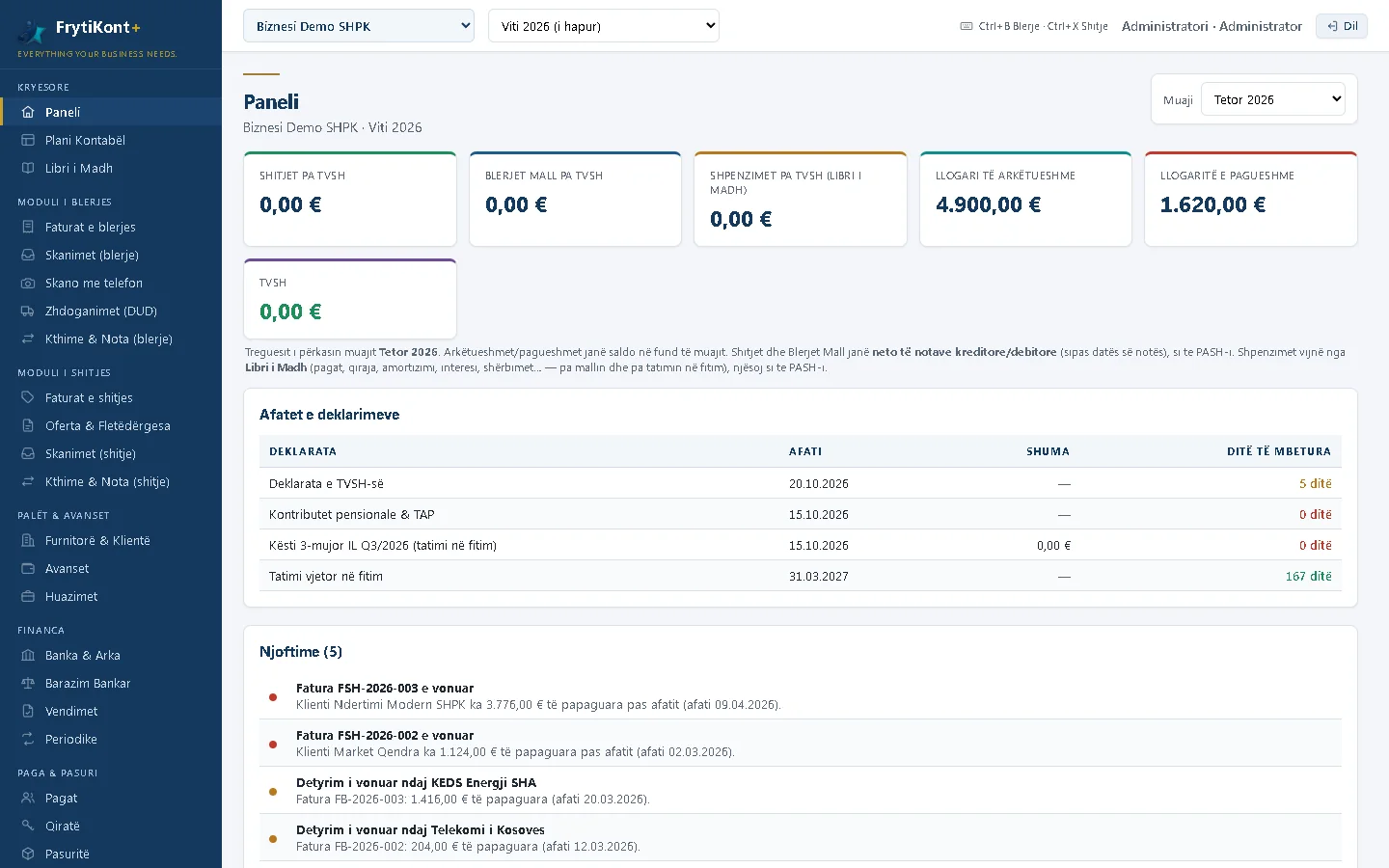
FrytiKont+ dashboard: the month's figures, filing deadlines and notices
Dashboard: the month's sales, purchases and VAT, filing deadlines with days remaining, and notices for overdue invoices.
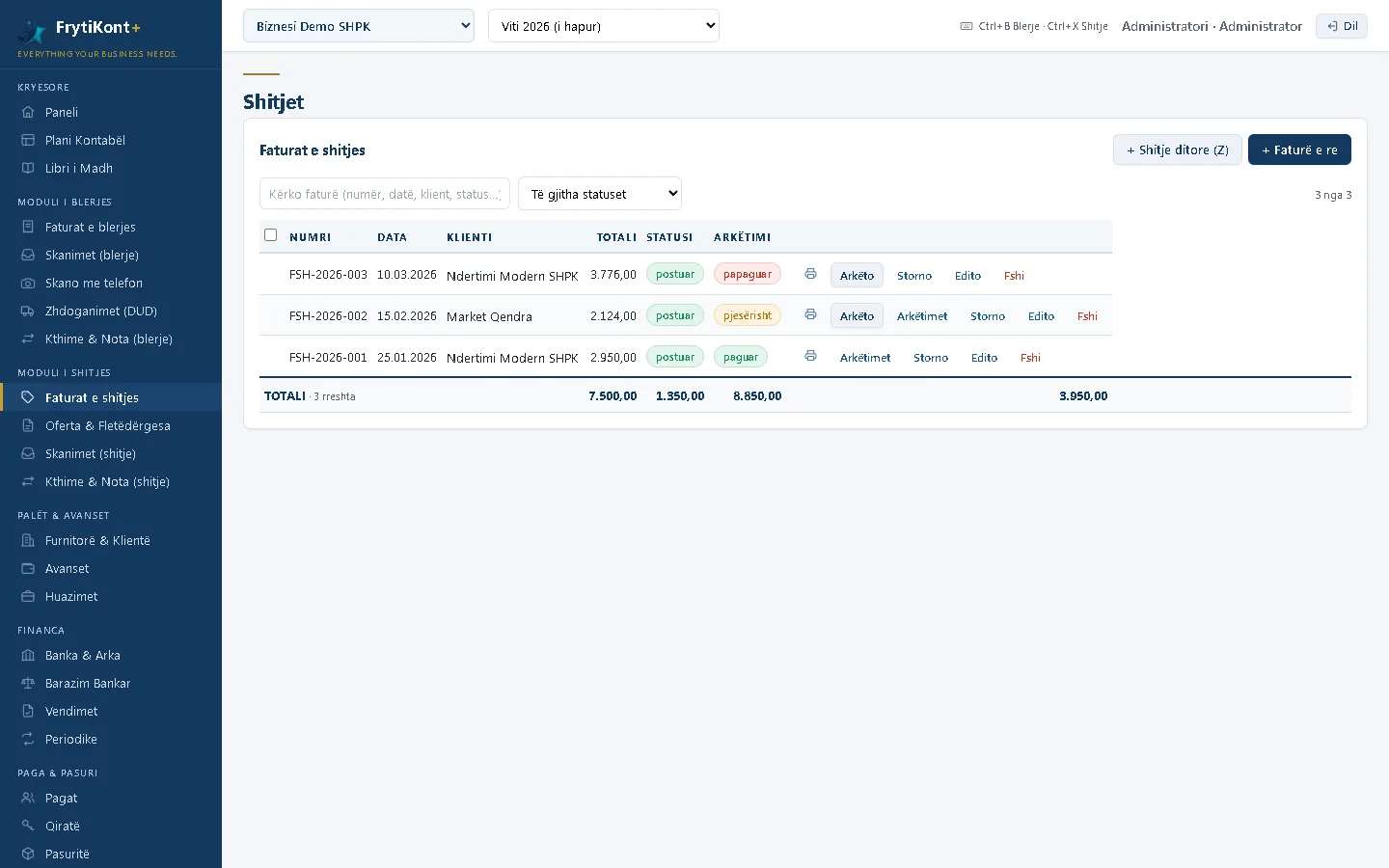
Sales invoices in FrytiKont+
Sales invoices: status, collection, printing, reversal and payment, one row per invoice.
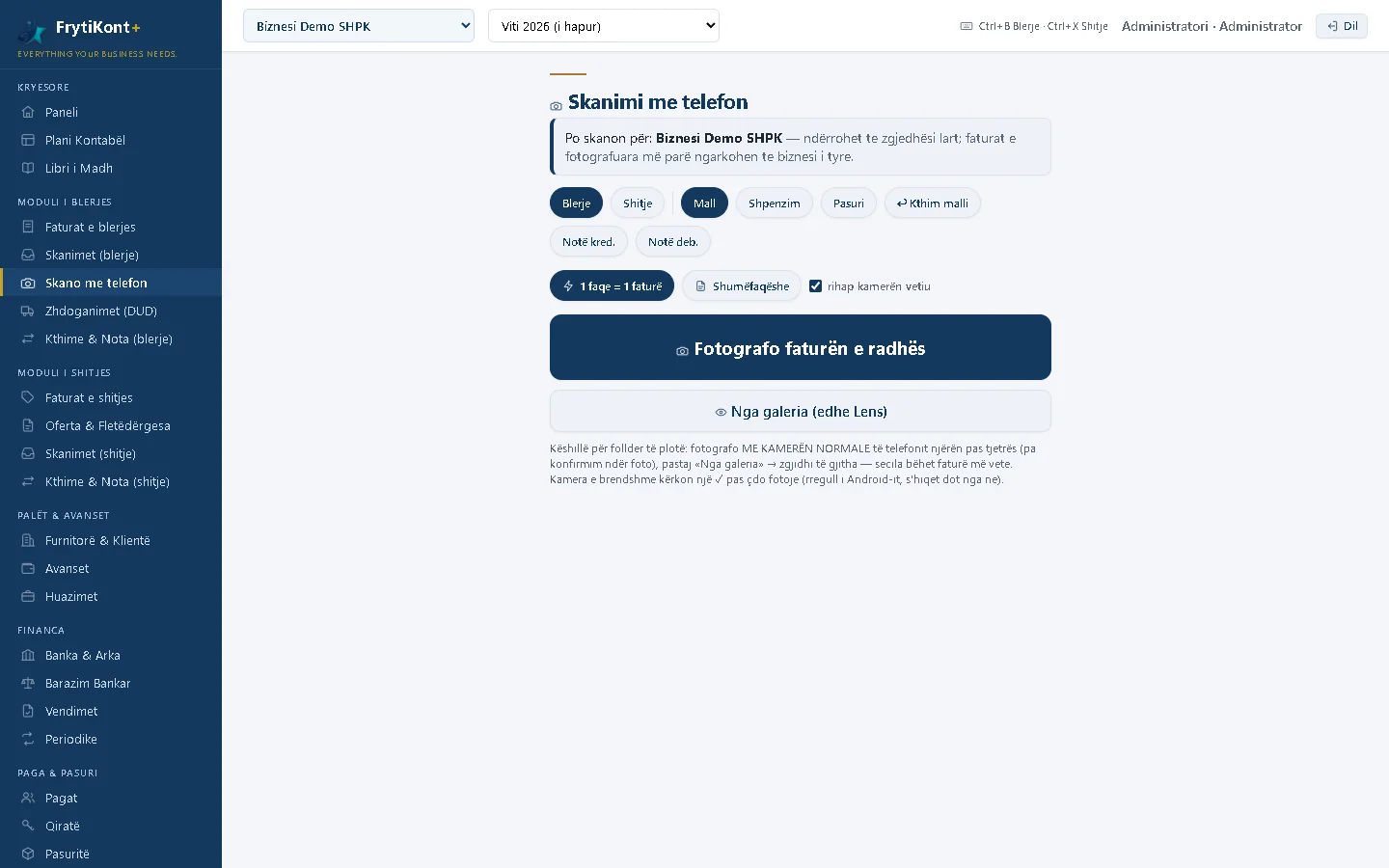
Scanning invoices with a phone in FrytiKont+
Scanning with a phone: photograph the invoice over the office Wi-Fi; the program files it under the right business.
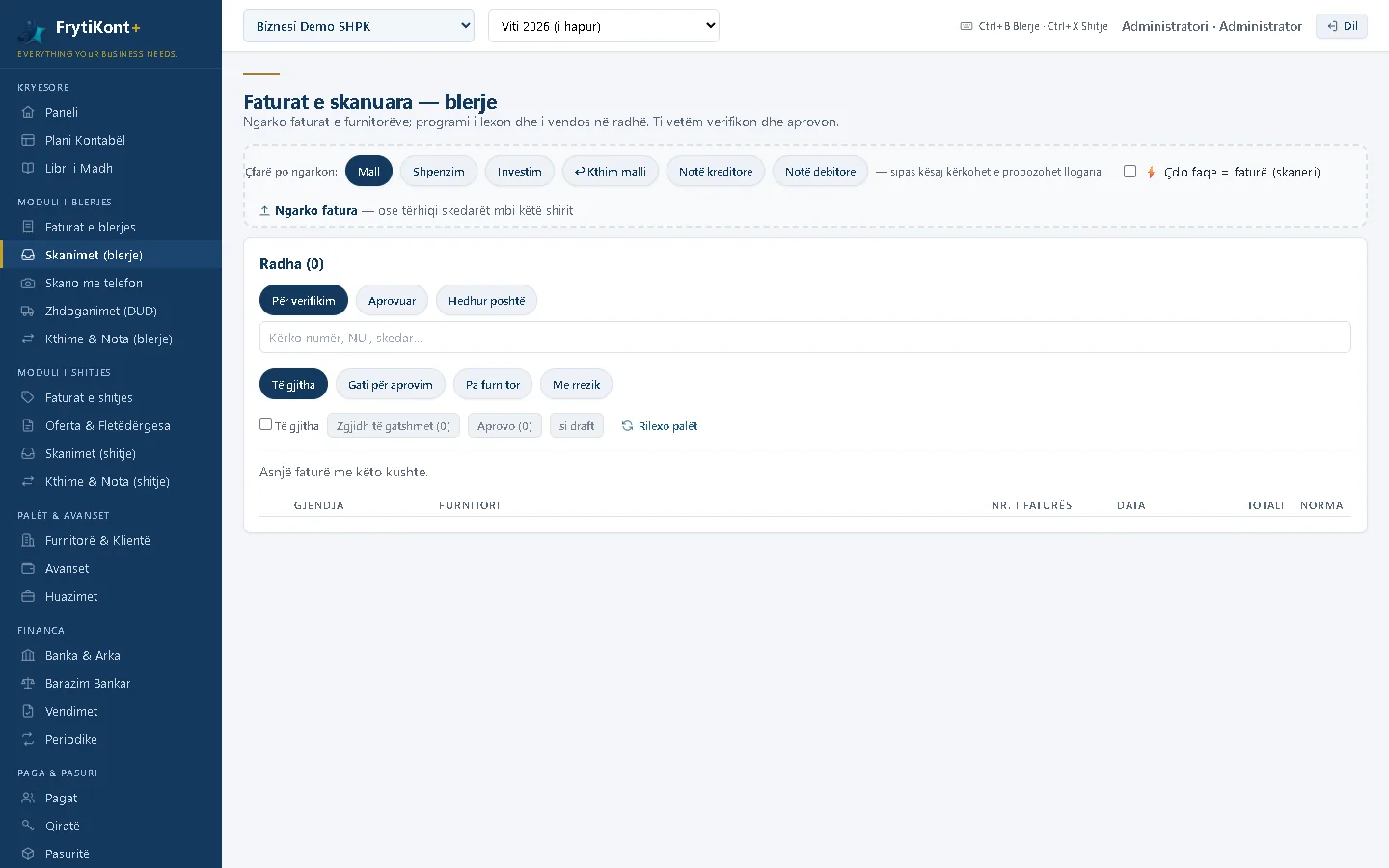
The queue of scanned invoices in FrytiKont+
Scanned invoices: the reading queue, approval and posting to the purchase book.
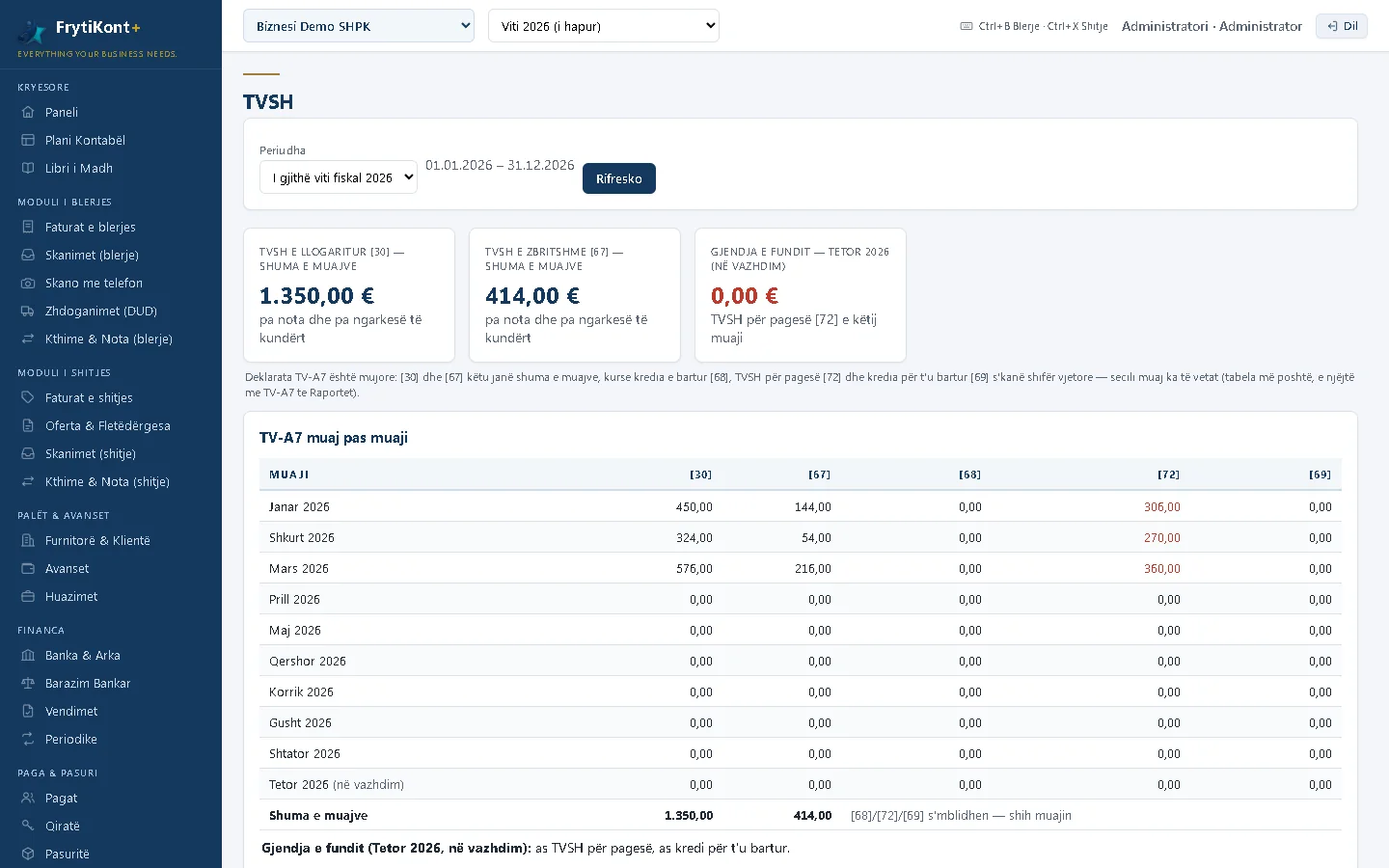
VAT month by month in FrytiKont+
VAT: boxes [30], [67], [68], [72] month by month, ready for the EDI return.
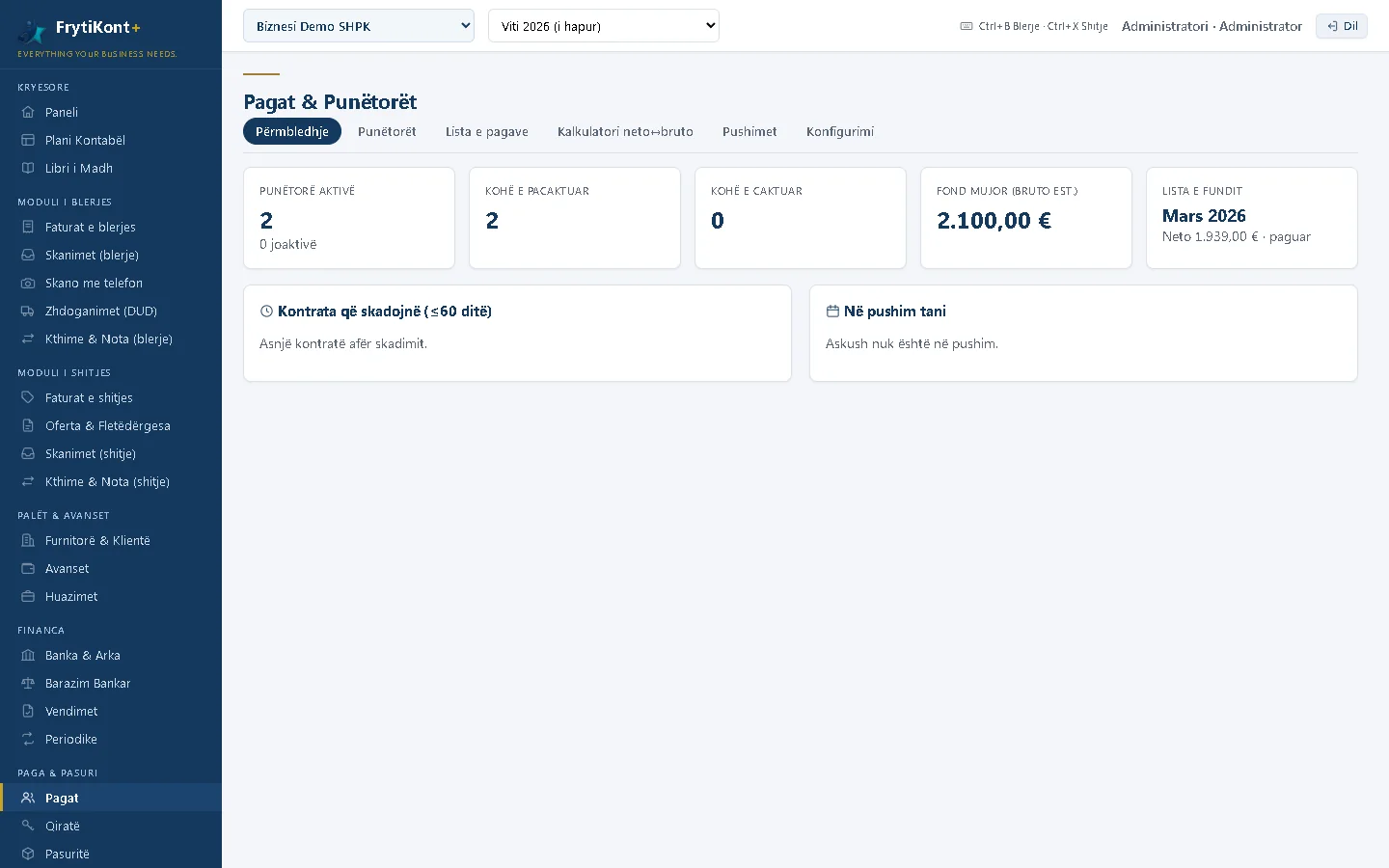
Payroll and employees in FrytiKont+
Payroll: employees, expiring contracts, the payroll list and the net–gross calculator.
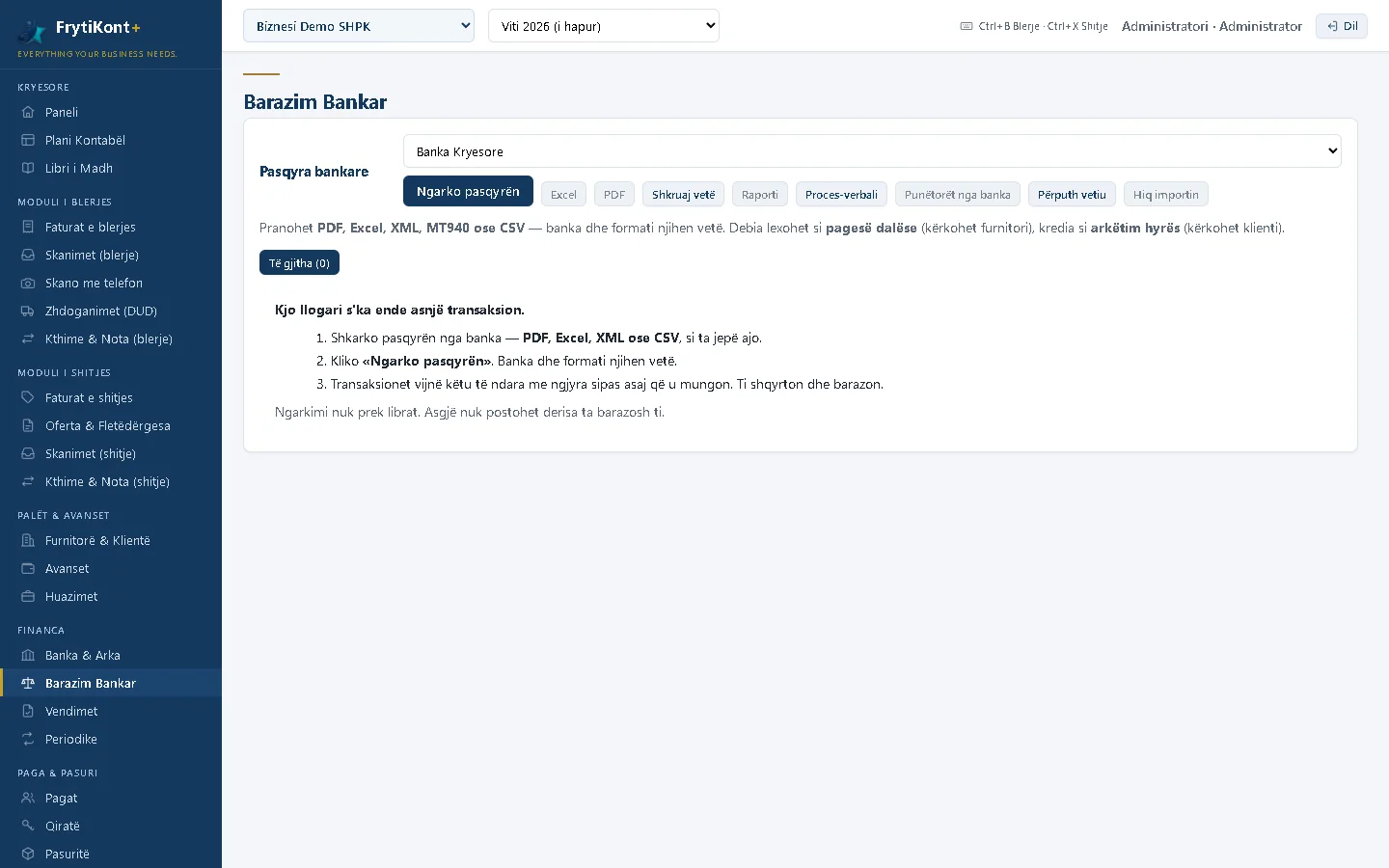
Bank reconciliation in FrytiKont+
Bank reconciliation: the statement is imported as PDF, Excel, XML, MT940 or CSV and matched against the ledger.
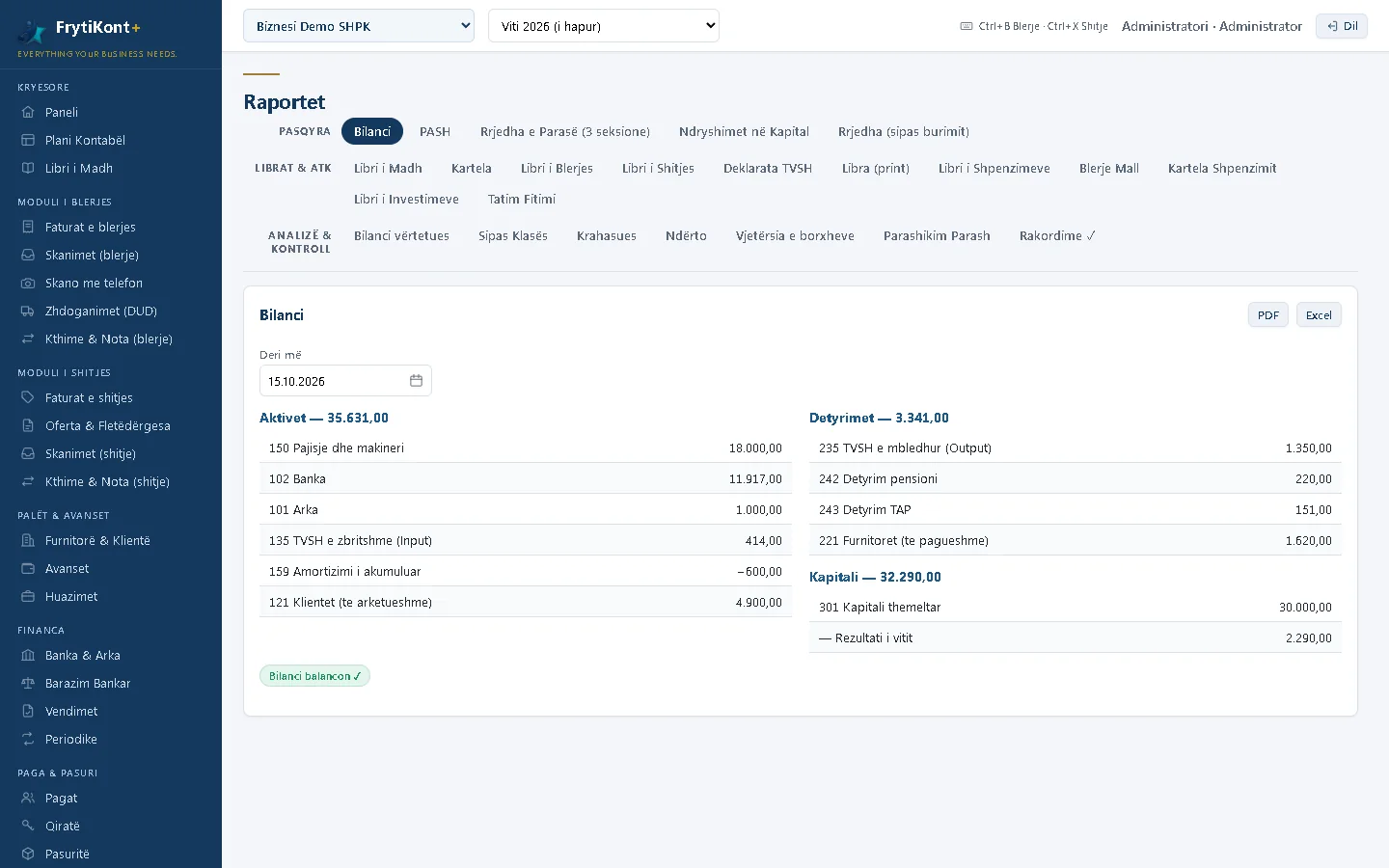
Financial reports in FrytiKont+: the balance sheet
Reports: balance sheet, income statement, cash flow, general ledger and VAT books, as PDF or Excel.

Invoice scanning: from the photo to the purchase book

  1. Photograph or scan. With a phone over the office Wi-Fi, with an ADF scanner, or by uploading a folder of PDFs. One page per invoice, or multi-page.
  2. The program reads it. Date, number, supplier, net amount, VAT and total come out filled in. The supplier is recognised from the official ARBK register, with the exact name and business number. For invoices that ordinary reading misses, a local visual model trained on real Kosovo invoices takes over.
  3. You check and approve. The invoice goes into the purchase book, into VAT and into the supplier's ledger. No invoice is recorded without a human looking at it.

Integrations

  • TAK (EDI): the VAT return and the books are produced in the Excel/XML format the EDI system accepts.
  • Bank: statements are imported as PDF, Excel, XML, MT940 or CSV; transactions are matched against the ledger.
  • ARBK: the business register from the Open Data portal, for the official names and business numbers of parties.
  • Fiscal software: FrytiKont+ links to NovaSEF, fiscal software certified by TAK. Items, prices and stock go to the till; receipts, returns and cancellations come into the accounts in real time. FrytiKont+ does not issue fiscal receipts itself; the certified fiscal software does.

Data security

  • Your data stays with you. The program runs on the business's or the office's computer, not in the cloud. It works without internet.
  • Nothing is deleted. Posted documents are reversed, not deleted; every action is kept in the audit trail, with the user and the time.
  • A role for every user: the administrator, the accountant, the owner and others see and do only what is theirs.
  • Backups run on their own, at start-up and every few hours; restoring takes one click.
  • Checks before filing: an amount that is not a number, a note dated before its invoice, cash going below zero, a cash payment above EUR 300: the program stops or asks for a reason.

Technical requirements

WhatWhyNote
A Windows computerThe program is installed with an installer; the database stays thereYou receive the installer and the licence code from us
Tesseract OCR (free)Reading scanned invoicesOptional; the program says when it is missing
NVIDIA graphics card (≥ 4 GB)The visual model for difficult invoicesOptional; only for advanced scanning
A phone or tablet on the Wi-FiPhotographing invoices and working remotely within the officeNo app needed: it opens in the browser

Quote and demonstration

The price depends on the number of businesses you will keep and on the volume of invoices. Write to us on WhatsApp or at info@frytiaudit.com with the name of the business and the approximate number of invoices per month, and we will send you a quote. We demonstrate the program at our office in Zahaq or online, with your data.

The program is activated with a licence code. Updates come from us, and the database updates itself at start-up without losing anything.

Support

Does FrytiKont+ keep data in the cloud?

No. The program and the database stay on the business's or the office's computer. Backups are made there automatically, and if you wish also on an external drive or in OneDrive.

Does it work without internet?

Yes. The program runs locally. Internet is needed only to submit returns in EDI and for program updates.

Does FrytiKont+ issue fiscal receipts?

No. Fiscal receipts are issued by fiscal software certified by TAK (SEF). FrytiKont+ links to NovaSEF: it sends items, prices and stock, and receives receipts, returns and cancellations for the accounts.

Can I move my accounts over from the old program?

Yes. Parties, items and opening balances are imported from Excel with ready-made templates, and old invoices can be scanned in batches.

Can an accounting office use it for many clients?

Yes. The program is built for offices with many businesses: each business has its own books, fiscal years and users, fully separated from the others.

How much does FrytiKont+ cost, and how can I see it working?

The price depends on the number of businesses and the volume of invoices; write to us on WhatsApp or at info@frytiaudit.com and we will send you a quote. We demonstrate the program at our office in Zahaq, Pejë, or online, with your data.

Would you like to see FrytiKont+ at work?

Tell us what kind of business you have and how many invoices you handle a month. We will show you the program with your data and send you a quote.